

SQL Accounting Software in Malaysia
SQL Accounting, also known as SQL Account, is E Stream’s accounting software for managing accounts, sales, purchases and stock. Syntax Technologies helps Malaysian businesses choose a package and plan the setup, training and support they need.
Explore the features below, compare SQL Accounting prices and packages, or request a demonstration using your business workflow. Available functions depend on the edition, version and selected modules.

Request a Demonstration or Quotation
SQL Account ERP Edition Demonstration
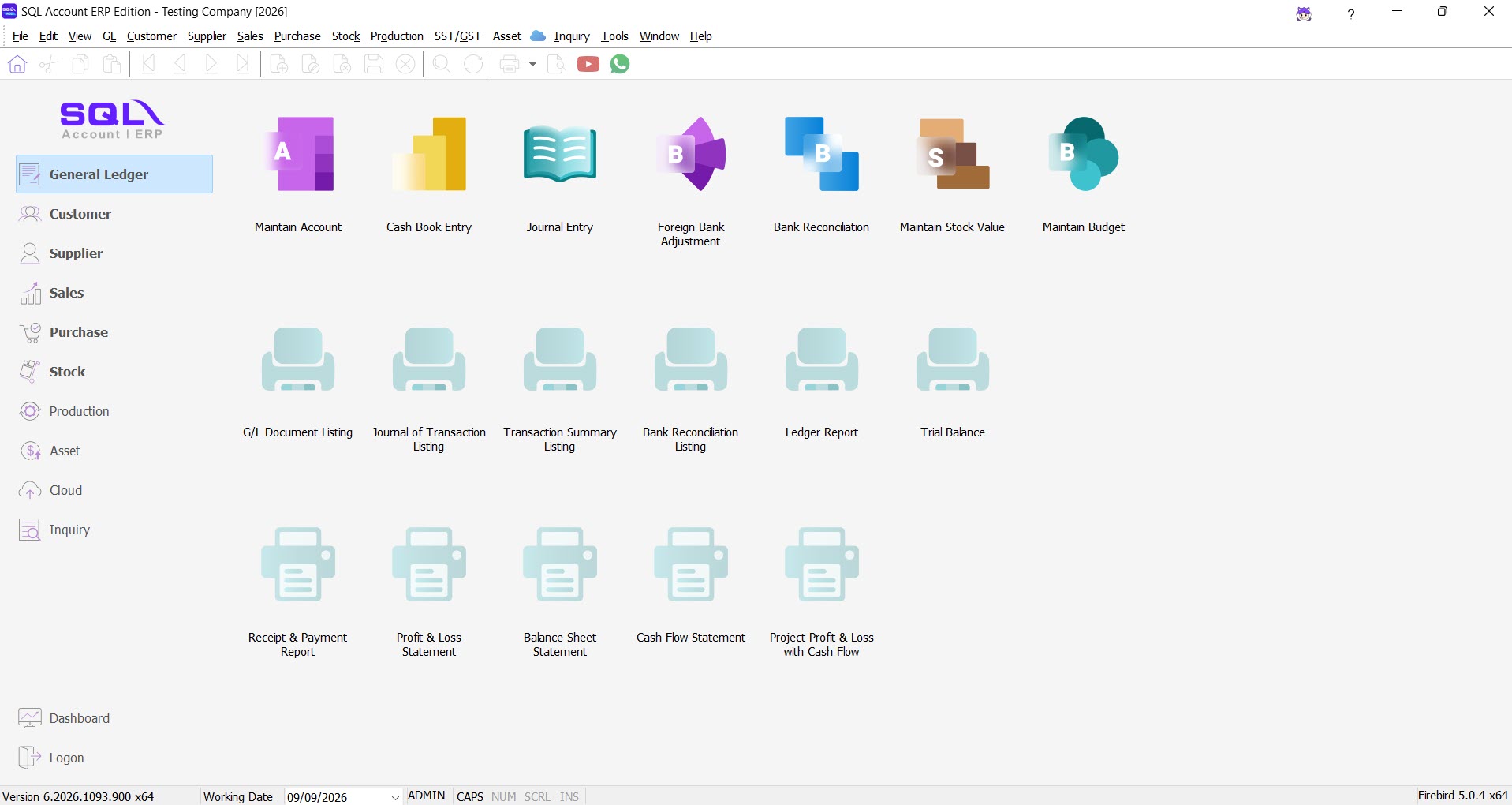
This example shows the General Ledger workspace in a testing company.
Edition: SQL Account ERP Edition | Package: Pro Package
Version: 6.2026.1093.900 x64 | Screenshot date:
View the SQL e-Invoice sandbox submission and validation walkthrough.
SQL Accounting Features
Use your own business requirements to evaluate each area. Availability depends on the edition, software version, selected modules and configuration.
General Ledger
Review how to organise accounting entries, reconcile balances and prepare financial reports.
Customer Accounts
Discuss customer balances, receipts, statements and outstanding-payment reporting.
Supplier Accounts
Review supplier invoices, payments and outstanding balances for your purchasing workflow.
Sales
Explore quotations, invoicing and sales reporting using examples relevant to your business.
Purchase
Discuss purchase documents, supplier records and the information your team needs to track.
Stock
Review how SQL Accounting can support your stock workflow. Ask for a demonstration using your requirements. Available functions depend on the selected edition and modules.
Explore the SQL software provider’s feature overview and confirm which functions are included in your proposed package.
Document Sharing, Customisation and Controls
WhatsApp Document Sharing
SQL Accounting supports sharing documents such as quotations, invoices and customer statements through WhatsApp. Confirm the setup and supported document workflow with our team.

User-Defined Fields
Ask about adding fields for information specific to your business. The SQL DIY Fields documentation identifies this as an additional paid module; confirm the configuration and charges in your quotation.

Commission Reporting
Bring examples of your commission rules to the demonstration so the team can assess the required calculations, reporting and module scope.

User Access Controls
Discuss which staff may view information, create transactions and approve changes. Confirm the access-control settings, backup responsibilities and security arrangements for your installation.

SQL Accounting and e-Invoice
Plan your data preparation, MyInvois access, submission ownership, validation checks and correction process. Read our SQL e-Invoice setup and support guide and compare MyInvois Portal and SQL Accounting workflows.
SQL Accounting Pricing and Package Scope
Start with our Basic and Professional package comparison. The price page lists package features, training and software-warranty terms. For help planning the purchase, read our SQL Accounting dealer service guide.
Request an itemised quotation that identifies the software edition, number of users, selected modules and recurring charges. Confirm whether the following are included or quoted separately:
- Installation and configuration
- Opening balances and data migration
- e-Invoice setup and workflow testing
- Staff training and follow-up sessions
- Remote access or hosting
- Support channels, hours, duration and renewal terms
Training availability and fees depend on the agreed service package. Ask for written terms before purchasing.
Discuss Your SQL Accounting Requirements
Tell us about your users, branches, inventory and existing records so we can prepare a relevant demonstration and quotation.
Accounting software for small businesses and growing SMEs
SQL Accounting, also called SQL Account, brings day-to-day accounting, sales, purchases and stock records into one system. Syntax Technologies helps Malaysian businesses choose the edition and service package around their actual work. E Stream MSC Sdn Bhd develops the software; Syntax provides local sales, setup, training and support.
A useful SME demonstration
Choose one typical transaction and follow it through to the final report. A service company can test a quotation, customer deposit, invoice and receipt. A stock business can test a purchase, delivery, sale and return. Your accounts team should then check customer balances, stock quantities and the relevant reports.
- Starting with spreadsheets: identify the customer, supplier and item lists you can export, and agree who checks opening balances.
- More users or branches: record who enters, reviews and approves transactions; ask to test the proposed access rights.
- Enterprise accounting requirements: prepare sample transaction volumes, reporting needs, integrations and approval rules. Ask for a scoped assessment; a larger organisation may need additional modules or customisation.
Which SQL Accounting package should I buy?
Basic covers accounting, billing and invoicing. Professional adds the stock-control functions, Pro modules and sales/purchase reports listed in our SQL Accounting package comparison. Match the package to the transactions and reports your team needs, then confirm users, licence terms and services in your quotation.
If staff need access from different locations, also discuss SQL Cloud accounting. For a wider shortlist, see our accounting software comparison for Malaysia.
Can I download and try SQL Account?
E Stream provides a SQL Account demo download. A demo download is not a free production licence. Use a testing company to evaluate your workflow, then ask Syntax for a demonstration and implementation quotation. Existing users can find setup, renewal and support guidance and SQL software training resources.
Product reference: SQL HQ Accounting overview. Reviewed 16 September 2026.